From a pasted description to a listing you’re happy with.
01
Paste your details
Drop your property information into the AI prompt.
02
Let AI prepare it
AI organizes your details into a draft and asks about anything missing.
03
Preview your listing
See how it looks and check that the details are correct.
04
Choose what’s next
Edit anything, save as a draft, or submit for publishing when you’re happy.
Edit your listingSave as draftSubmit for publishing
You stay in control. Submitted listings go through admin review before they appear publicly.
SEE THE IDEA IN ACTION
From a few lines to a clearer draft.
Example walkthrough · no live AI request
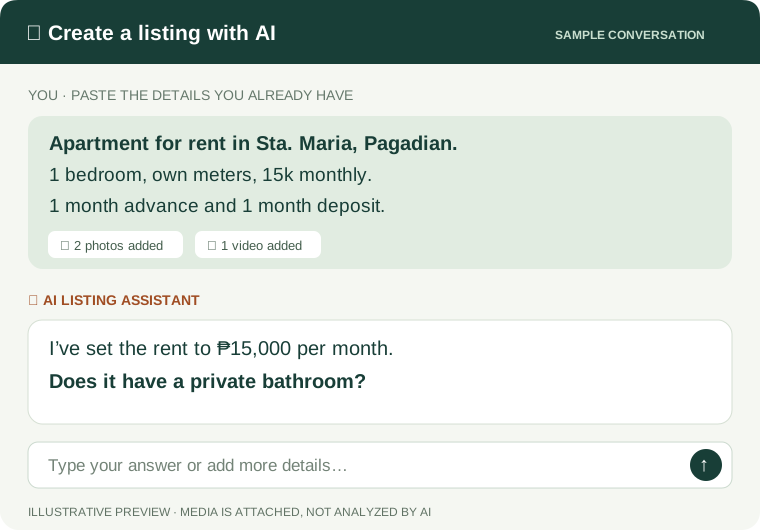
YOU BRING THE DETAILS
“Apartment in Sta. Maria, Pagadian. 1 bedroom, own meters, 15k monthly.”
+ Photos and videos can be added here
A DRAFT YOU CAN REVIEW
Property type
Apartment
Location
Sta. Maria, Pagadian City
Price
₱15,000 / month
Details
1 bedroom · Own meters
✦ One more detail
Does it have a private bathroom?
You confirm the facts. AI helps prepare the draft; it doesn’t verify the property or analyze uploaded media. Submissions go to admin review before appearing publicly.
01
Show the space.
Upload photos and videos and choose a cover visual. Saved listing uploads remain available after a reload.
02
Keep track of the post.
Save a draft, submit for review and edit your listing. A permanent listing ID makes it easy to refer to the exact property.
03
Keep inquiries together.
Reply from your private Inbox. See admin notices separately, including feedback when a listing needs changes.
LOOKING FOR / SHARED REQUESTS
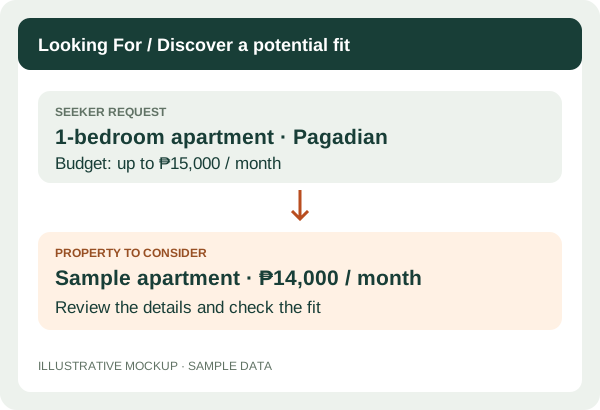
Find people already looking for a place like yours.
Seekers can publish what they need, including location, property type and budget. Property providers can explore requests and send private replies through their account workspace.
Available to registered members
The illustration is an example, not a real request. Automatic matching is not enabled.
Propose a viewing or an offer from a listing conversation. The other person can accept or decline, and both parties confirm a completed deal before leaving feedback.
ZamPlace records the arrangement. It does not process payments or transfer property ownership.
See recorded views, current saves and listing conversations in your account workspace.
ViewsSavesInquiries
Views count signed-in visitors once per listing per day over the last 30 days, excluding your own visits. These totals do not identify individual viewers or measure every visitor.
Try metric buttons, chart styles and date ranges using illustrative data. These sample figures are not live traffic or customer results. Your account workspace reports the listing activity described above.
Interactive sample · illustrative numbers, not actual performance. Open full sample ↗
TEAM ACCESS / FOR HOSTS & LISTERS
Too busy to manage your property?
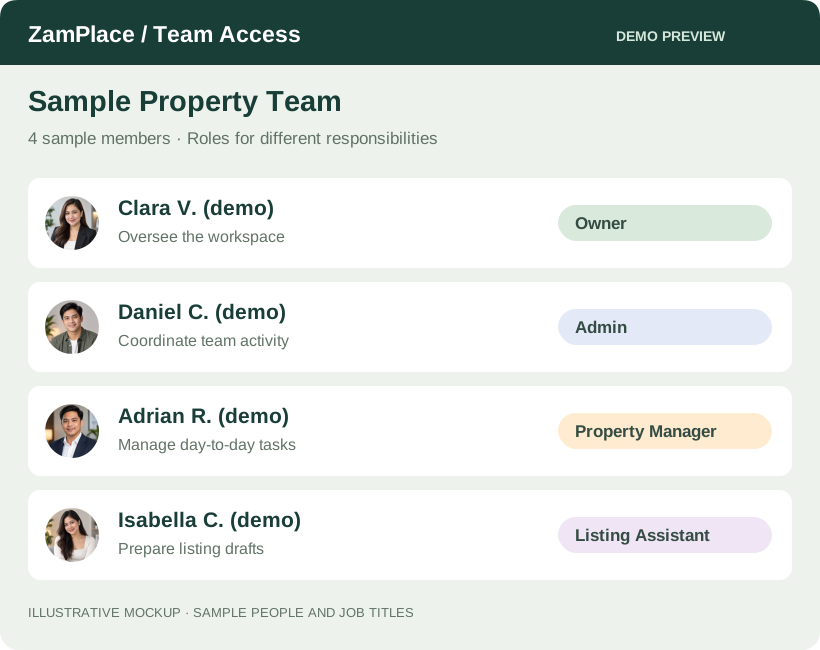
You don’t have to handle every task yourself. Explore Team Access: a workspace designed to let you bring someone in to help, with access that fits their responsibilities.
Owner — manages access and approves listing changes.
Editor — works on tasks and proposes listing edits.
Viewer — has read-only access to shared team work.
Illustrative team preview
The preview uses fictional people and example job titles. Live permissions are Owner, Editor and Viewer. Registered accounts can invite members, assign tasks and review proposed listing edits; listing owners approve changes before moderation.
ZamPlace is open to real members. Public listings are reviewed before appearing, and the examples on this page are illustrations rather than customer activity.
What to know before you start +
Your account workspace
Registered members can manage requests, conversations, arrangements, private notes, listing statistics, teams and saved places.
Your listing, your decision
AI helps prepare text from the details you provide. Review the facts yourself before submitting a listing for moderation.
Still being prepared
Maps, email and phone verification, and password recovery are not enabled in this release. Contact support if you need help with your account.